Error Path 1: Payment Initiation Rejected by the Payer
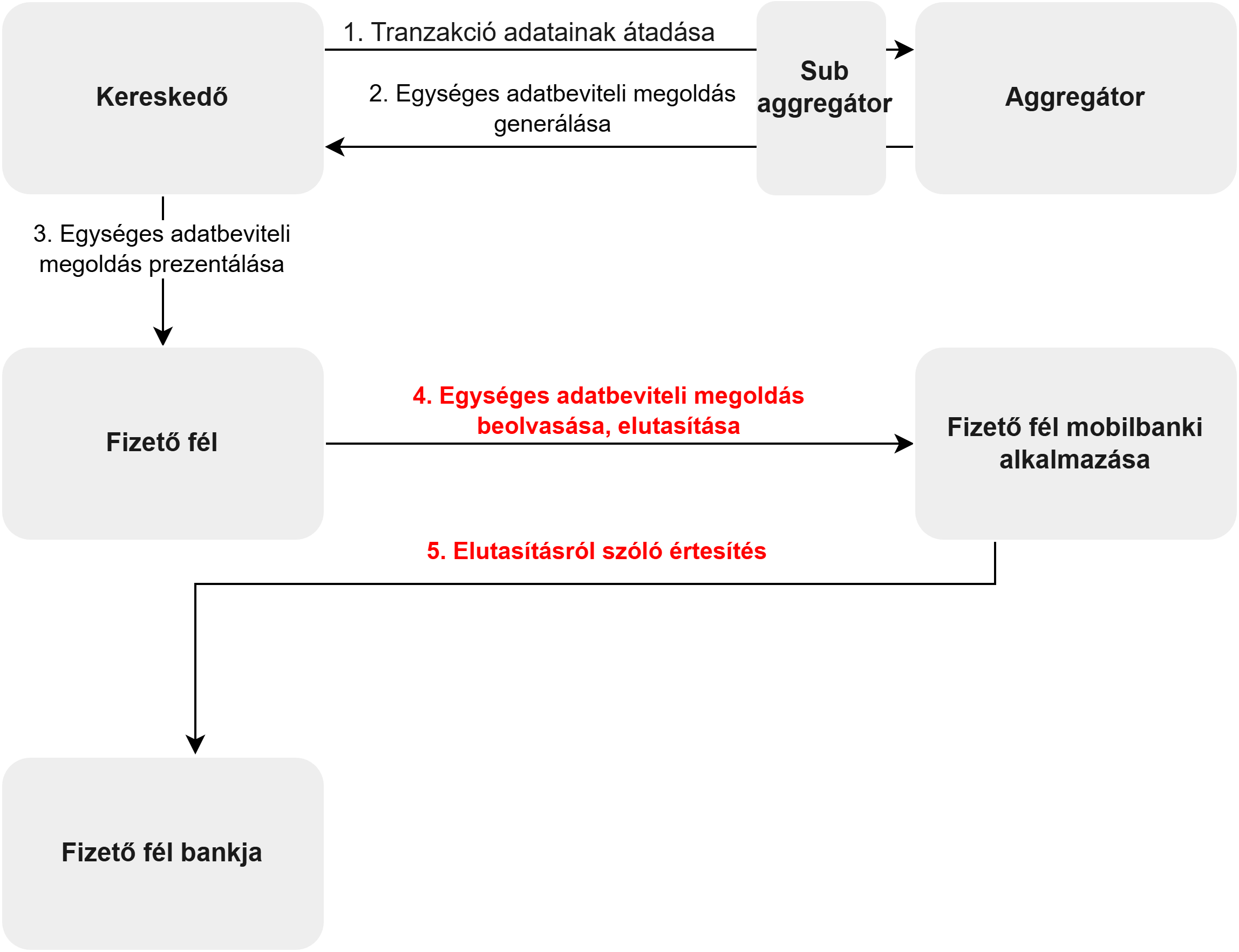
Process steps:
- The merchant's system transmits the current purchase data to the sub-aggregator via an electronic channel, who forwards it to the Aggregator.
- The Aggregator creates the Unified Data Entry Solution (EAM) according to the standard defined in the regulation, which contains the transaction and beneficiary data. The generation algorithm equips the data with an authentication code to prevent tampering.
- The merchant displays and makes the EAM available on their POS system. For invoiced payments, the QR code is printed on the invoice. For webshop purchases, a deeplink is generated which opens the mobile banking application when clicked. For NFC, the merchant's device broadcasts the data.
- The payer scans the EAM with their multi-function device. After scanning, the payer may decide not to submit the instant transfer initiation created with the given EAM. In this case, they reject the instant transfer. This may happen, for example, if the payer decides to use a different mobile banking application during the payment process.
- The mobile banking application notifies the payer about the rejection, and sends a negative feedback message to the Aggregator via the payer's bank and GIRO.
- The Aggregator forwards the negative feedback to the sub-aggregator, who forwards it to the merchant's system.
- The merchant's system displays an unsuccessful payment message to the payer.